

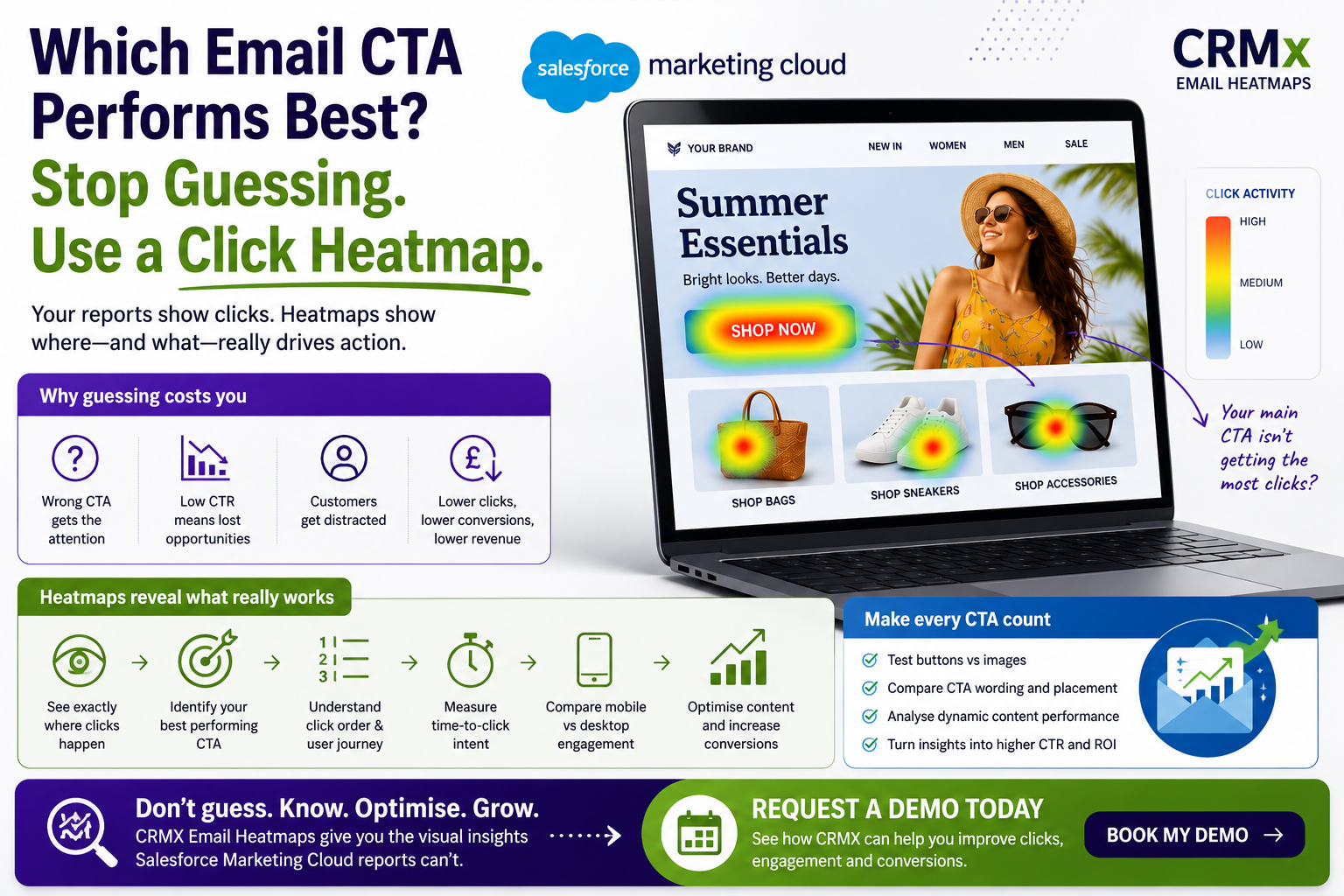

Which Email CTA Performs Best? Stop Guessing and Use a Click Heatmap
Every email campaign has one purpose—to encourage subscribers to take action.
Whether your goal is to generate sales, book demos, download a guide or drive website visits, your Call-to-Action (CTA) is the most important element in the email.
But here's the question most Salesforce Marketing Cloud teams can't answer with confidence:
Which CTA actually performs best?
Many marketers rely on click-through rate (CTR) or total clicks, but those metrics don't always reveal which button, image or link truly influenced customer behaviour.
The answer lies in Salesforce Marketing Cloud Email Heatmaps.
Why CTR Doesn't Tell the Whole Story
Imagine your campaign generated a 3.2% CTR.
That's useful—but it doesn't answer questions like:
Did customers click the primary CTA?
Were they clicking product images instead?
Did the navigation menu steal attention?
Which CTA received the first click?
Which button generated the most conversions?
Without visual insight, improving your CTA becomes guesswork.
The Problem With Multiple CTAs
Most marketing emails contain several clickable elements:
Hero banner
Main CTA button
Product images
Category links
Navigation menu
Footer links
Social media icons
If your report only shows total clicks, you won't know which of these elements persuaded subscribers to act.
A campaign can have a healthy CTR while the primary "Request a Demo" button receives very little engagement.
That's a missed opportunity.
How Email Heatmaps Reveal the Best CTA
CRMx Email Heatmaps display every click directly on your Salesforce Marketing Cloud email.
Within seconds you can see:
🔥 Which CTA receives the most clicks
👀 Which images outperform buttons
📍 Where customers lose interest
① Which element gets the first click
⏱ How quickly subscribers engage
📱 Differences between mobile and desktop users
Instead of analysing spreadsheets, you instantly understand customer behaviour.
Five CTA Improvements That Increase Clicks
1. Move Your Main CTA Higher
If customers never reach your button, they can't click it.
Heatmaps quickly reveal whether important CTAs are buried too far down the email.
2. Reduce Competing Links
Too many buttons create confusion.
Keep one clear primary action and minimise distractions.
3. Improve CTA Copy
Compare wording such as:
Shop Now
Get Started
Book Your Demo
View Collection
Learn More
Heatmaps combined with A/B testing help identify which message attracts the most engagement.
4. Make Images Support the CTA
Subscribers often click images before buttons.
Ensure product images reinforce your primary conversion goal instead of competing with it.
5. Test Using Real Customer Behaviour
Don't redesign emails based on opinions.
Optimise using actual click behaviour collected from your campaigns.
CRMx Makes CTA Optimisation Simple
CRMx extends Salesforce Marketing Cloud reporting with visual engagement intelligence.
Marketing teams can:
Compare every CTA visually
Analyse button and image performance
Measure click order
Review time-to-click
Compare dynamic content versions
Identify high, medium and low engagement areas
Share visual reports with stakeholders
Instead of wondering which CTA works best, you'll know.
Stop Guessing. Start Improving.
Your CTA is the gateway to every conversion.
Small improvements in CTA placement, wording or design can produce significant increases in clicks, leads and revenue.
CRMx Email Heatmaps help Salesforce Marketing Cloud teams identify exactly which CTA performs best so every campaign becomes smarter than the last.
Request a personalised CRMx demo today and discover which CTA your subscribers really want to click.