


What Happens After a Customer Clicks View in Browser in Salesforce Marketing Cloud?
Salesforce Marketing Cloud gives marketers visibility into email delivery, opens, clicks, bounces, unsubscribes and campaign performance. But one important part of the customer journey is often overlooked: what happens after a recipient clicks “View in Browser”?
At that moment, the customer leaves the inbox and moves into a browser-rendered version of the email. Many CRM teams know the link was clicked, but they do not know what the customer did next.
Did they scroll? Which CTA attracted attention? Did they continue to the website? Did they abandon the experience before converting?
View in Browser is not the end of the email journey. It is another digital experience that can influence engagement and conversion. This matters because every hidden interaction can reveal opportunities to improve content placement, customer experience, campaign performance and ultimately conversion outcomes.
Why View in Browser Matters
Customers use View in Browser for different reasons. An email may not render correctly, images may be blocked, the layout may be difficult to read, or the customer may prefer viewing the campaign in a browser.
Once they move into the browser, the experience behaves more like a web page.
Traditional email reporting tells marketers what happened. It shows that a message was opened or a link was clicked. It does not always explain how the customer behaved within the browser version.
The View in Browser Reporting Blind Spot
Imagine an SFMC campaign sends 250,000 emails and 3,000 recipients use the View in Browser link.
Marketing teams may want to know:
• Which parts of the browser-rendered email attracted the most clicks
• How far recipients scrolled
• Whether the primary CTA was actually seen
• Which content blocks were ignored
• Whether mobile and desktop visitors behaved differently
• Where the customer went after clicking through
Without these insights, marketers may make optimisation decisions using incomplete data.
How CRMx View in Browser Analytics Helps
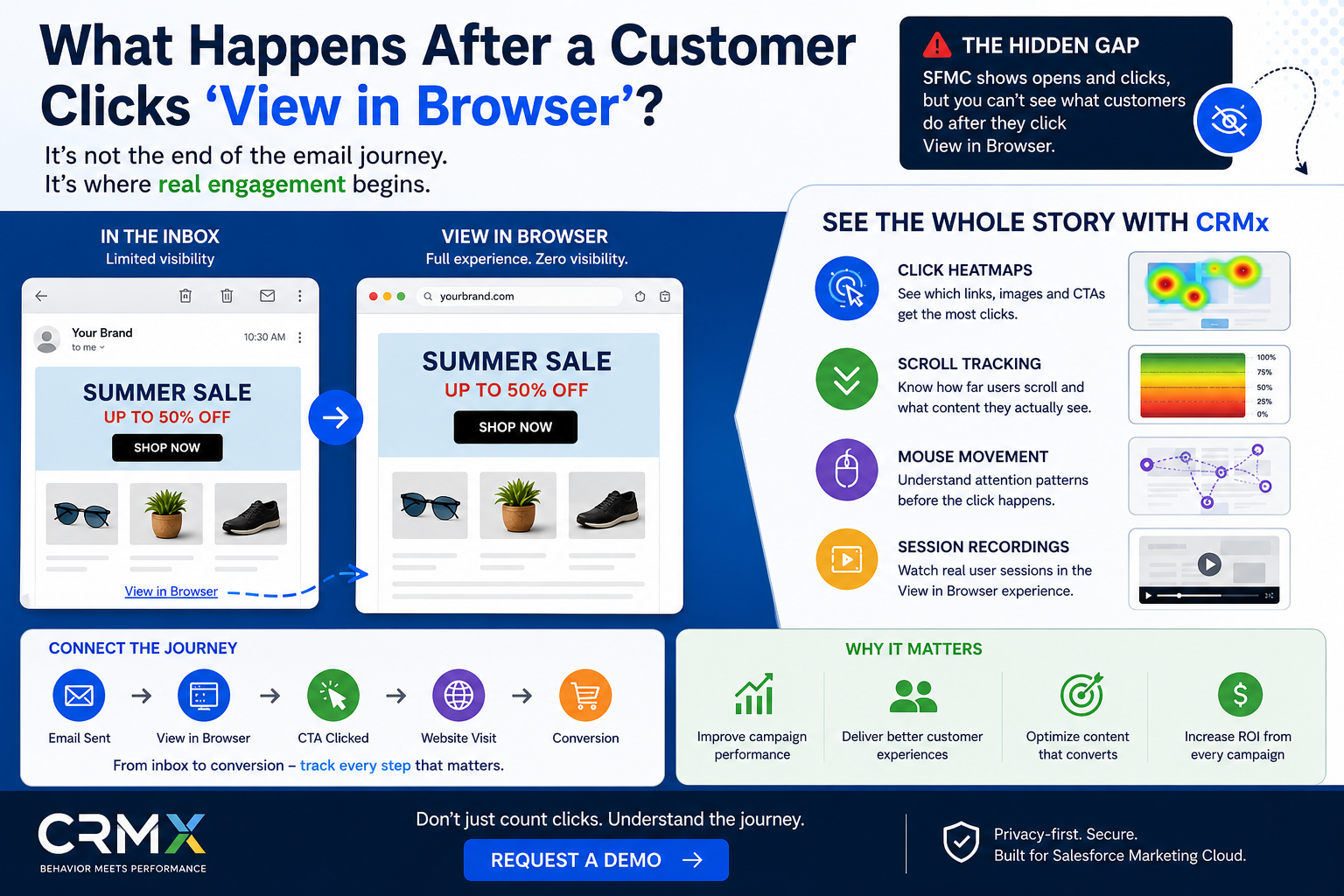
CRMx View in Browser Analytics adds behavioural visibility to this part of the journey. Instead of treating View in Browser as a simple link click, CRMx helps teams understand how customers interact with the browser-rendered campaign.
Click Heatmaps
Click heatmaps visually show where users interact with the browser version of the email. Marketers can identify which CTA, image, navigation item or text link receives the most engagement.
Scroll Tracking
Scroll tracking shows how far visitors move down the browser-rendered email.
If an important offer sits near the bottom but few visitors reach that section, the problem may not be the offer. The problem may be its position.
Mouse Movement
On supported browser experiences, mouse movement can provide context about which areas attract attention before a click. Teams can investigate whether customers explore particular sections or hesitate around certain content.
Session Recordings
Session recordings provide a deeper view of individual behaviour. Teams can review how users scroll, where they pause, what they interact with and where they leave.
Connect View in Browser to the Website Journey
The customer journey often continues after the browser-rendered email.
Email Sent → View in Browser → CTA Clicked → Website Visit → Product or Service Page → Conversion or Abandonment
If every stage is measured separately, important context can be lost.
CRMx helps connect supported email, View in Browser and website behaviour so teams can analyse more of the journey in one behavioural framework.
For example, a campaign may generate strong CTA engagement in View in Browser but poor website conversion. This could indicate that the email is doing its job and the problem exists on the landing page.
Website heatmaps and session recordings can then help identify where customers lose interest or abandon before converting.
Why This Matters for CRM Teams
View in Browser analytics can help CRM and marketing teams answer practical questions:
• Which content gets attention?
• Which CTA drives action?
• Are customers reaching important offers?
• Which personalised version performs best?
• What happens after the browser click?
• Where does the wider journey break down?
These insights help teams reduce guesswork and improve campaigns using real customer behaviour.
Final Thoughts
A View in Browser click should not be treated as the end of the email experience. It is a transition from the inbox into another part of the customer journey.
Salesforce Marketing Cloud provides valuable campaign reporting, while CRMx adds a behavioural layer that helps teams understand what customers do after they move into the browser.
By combining click heatmaps, scroll tracking, mouse movement, session recordings and website journey analysis, CRMx helps marketers move from measuring activity to understanding behaviour.
If your team wants to see what happens after customers click View in Browser, explore CRMx View in Browser Analytics and make this hidden part of the journey measurable.
"Request a personalised CRMx demo" (https://crmx.uk/request-demo)
"Explore CRMx Features & Benefits" (https://crmx.uk/features-benefits)