

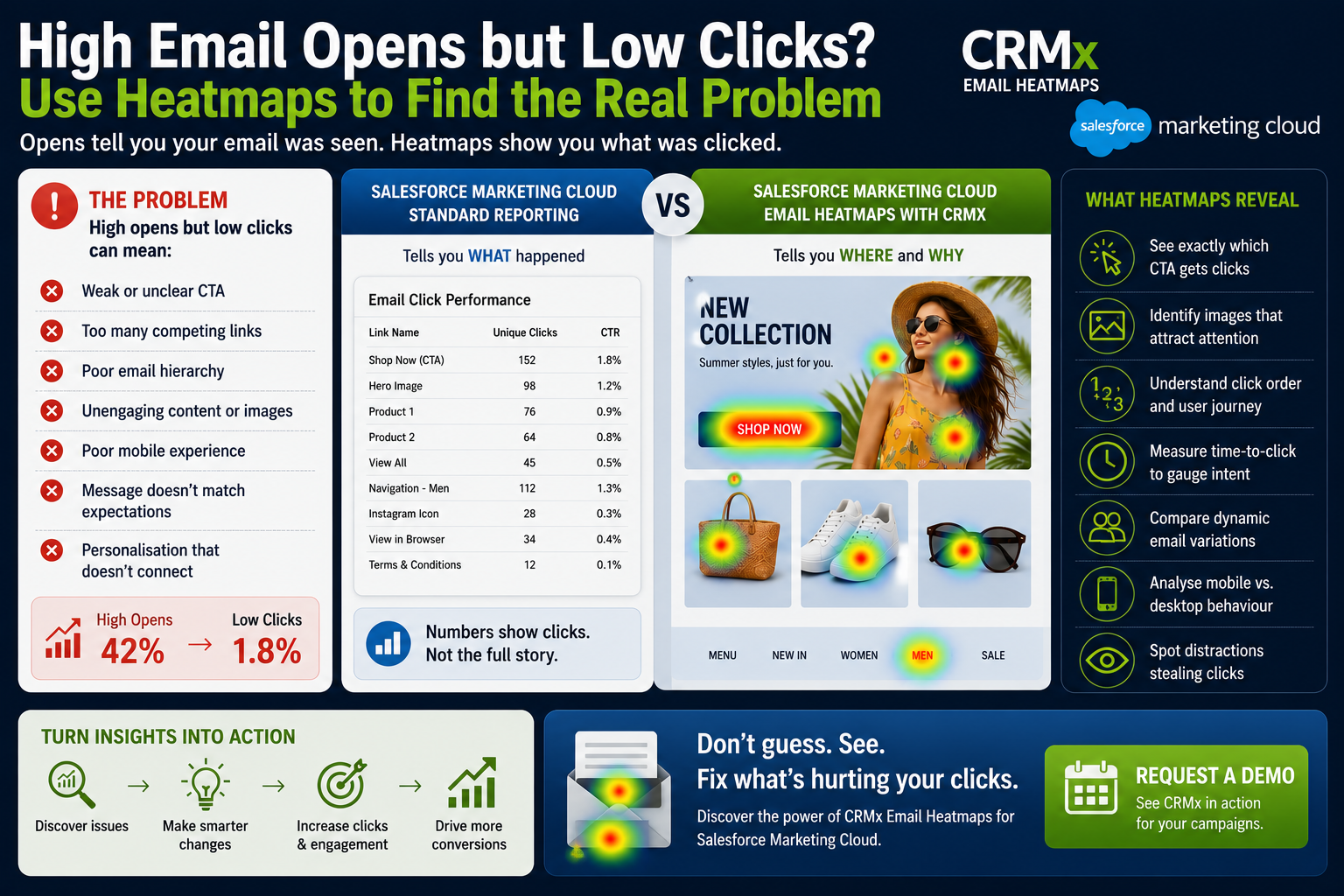

High Email Opens but Low Clicks? Use Salesforce Marketing Cloud Email Heatmaps to Find the Real Problem
Your Salesforce Marketing Cloud campaign achieved a 42% open rate, but the click-through rate is only 1.8%.
Sound familiar?
Many marketing teams celebrate high open rates only to discover that very few subscribers actually interact with the email. Opens tell you people noticed your email. Clicks reveal whether your content convinced them to take action.
The challenge is that standard Salesforce Marketing Cloud reports show how many people clicked, but they don't clearly explain why they didn't.
This is where Salesforce Marketing Cloud Email Heatmaps become a game changer.
Why High Opens Don't Always Mean Success
Several factors can produce high opens but poor click performance:
Weak call-to-action (CTA)
Too many competing links
Unclear email hierarchy
Low-impact hero images
Poor mobile experience
Content that doesn't match the subject line
Personalised content that isn't engaging
Traditional reports identify the problem. Email heatmaps reveal where the problem exists inside the email.
Standard SFMC Reports Answer "What"
Salesforce Marketing Cloud reporting tells you:
Open Rate
Click Rate
Unique Clicks
Total Clicks
Bounce Rate
Unsubscribes
These metrics are essential, but they don't answer questions like:
Which CTA did customers ignore?
Which image attracted attention?
Did subscribers click the hero image instead of the button?
Did navigation steal clicks from the primary CTA?
Which section of the email was never viewed?
Without visual context, marketers are often guessing what to improve.
Email Heatmaps Reveal "Why"
CRMx Email Heatmaps overlay customer clicks directly onto your email.
Instead of reviewing spreadsheets, you immediately see:
🔥 Most-clicked CTA
🟢 High-performing products
🔵 Low-engagement content
👀 Images attracting attention
⏱ Time-to-click behaviour
① Click order
🌍 Dynamic content performance
Within seconds, marketing teams understand where subscribers interact and where they lose interest.
A Real Example
Imagine an email promoting a seasonal collection.
The report shows:
Open Rate: 45%
CTR: 2.1%
Looks disappointing.
The heatmap immediately reveals:
55% of clicks went to the navigation menu.
Only 18% clicked the primary Shop Now button.
One product image generated almost no engagement.
Mobile users ignored content below the fold.
Now the optimisation becomes obvious.
Instead of redesigning the whole email, you simply:
Move the CTA higher.
Reduce navigation links.
Replace the low-performing image.
Shorten the email for mobile users.
Small changes can significantly improve click-through rates.
What Marketing Teams Should Analyse
Every campaign should answer these questions:
Is the primary CTA receiving the most clicks?
Which content attracts the most attention?
Are subscribers distracted by secondary links?
Which products generate interest?
What gets the first click?
How quickly do subscribers engage?
Which dynamic email version performs best?
These insights are difficult to identify from standard click reports alone.
Why CRM Teams Choose CRMx
CRMx extends Salesforce Marketing Cloud reporting with visual engagement intelligence.
With CRMx, marketing teams can:
View clicks directly on email creatives
Identify high, medium and low engagement areas
Analyse CTA performance
Measure click order and time-to-click
Compare dynamic email variations
Review View in Browser engagement
Detect unusual click behaviour
Share visual reports with stakeholders
Instead of guessing why click rates are low, teams make improvements using real customer behaviour.
Turn Opens into Clicks
Every Salesforce Marketing Cloud email generates valuable behavioural data.
The question isn't whether subscribers opened your email.
The question is:
Did they click what mattered most?
CRMx Email Heatmaps help you answer that question visually, allowing your team to optimise every campaign, improve engagement and increase conversions.
If your campaigns generate impressive open rates but disappointing clicks, you're only seeing half the story.
Request a personalised CRMx demo today and discover how Salesforce Marketing Cloud Email Heatmaps can transform customer clicks into measurable campaign improvements.