
Why Campaign Managers Spend Too Long Analysing Salesforce Marketing Cloud Emails
Salesforce Marketing Cloud (SFMC) is one of the most powerful platforms available for running email campaigns.
Yet ask most campaign managers a simple question:
“Why did this email perform the way it did?”
And the answer often takes far too long to arrive.
Not because the data isn’t there — but because understanding it is harder than it should be.
This is why campaign managers spend hours analysing Salesforce Marketing Cloud emails, and how email heatmap intelligence removes that friction completely.
The Reality of Email Analysis for Campaign Managers
After every send, campaign managers typically need to:
- Open multiple SFMC reports
- Review click tables and CTRs
- Interpret link-level performance
- Map link names back to the email layout
- Compare results with previous campaigns
- Prepare explanations for stakeholders
None of this is technically difficult.
But it is time-consuming, manual, and mentally draining.
The problem isn’t effort — it’s visibility.
Problem 1: SFMC Reports Are Data-Rich but Insight-Poor
Salesforce Marketing Cloud reports are excellent at showing numbers:
- Total clicks
- Unique clicks
- Click-through rates
- A/B test winners
What they don’t show clearly is:
- Where subscribers focused their attention
- Which sections of the email mattered most
- Whether CTAs competed with each other
- How layout influenced engagement
Campaign managers are forced to translate rows of data into behavioural insight — a slow and error-prone process.
Problem 2: Campaign Managers Must Reconstruct the Email Mentally
SFMC click reports list links by name, not by visual position.
This means campaign managers must:
- Remember where each link appeared
- Open the email separately
- Match report rows to the design
- Guess how users experienced the layout
This mental reconstruction is where most analysis time is lost.
Email subscribers see a visual experience.
Campaign managers analyse a spreadsheet.
That disconnect is the core issue.
Problem 3: Too Many Clicks, Not Enough Context
A report might show:
- CTA A: 120 clicks
- CTA B: 95 clicks
- Image link: 140 clicks
But it doesn’t answer:
- Which CTA was noticed first
- Whether the image distracted from the primary goal
- If clicks were concentrated or scattered
- Where engagement dropped off
Without context, campaign managers hesitate to act — and analysis drags on.
Problem 4: A/B Test Results Still Need Explanation
Salesforce Marketing Cloud A/B testing tells you which version won.
It doesn’t tell you:
- Why it won
- Which section drove the lift
- Whether the improvement is repeatable
So campaign managers spend even more time:
- Comparing reports
- Debating assumptions
- Defending conclusions to stakeholders
The test ends, but the uncertainty continues.
Problem 5: Stakeholders Want Answers, Not Tables
Campaign managers are regularly asked:
- “Why did this email underperform?”
- “Which CTA should we prioritise next time?”
- “What exactly should we change?”
Answering these questions with tables and metrics takes time — and often leads to subjective debates.
Visual proof would be faster.
But SFMC doesn’t provide it natively.
Why Email Heatmaps Change Everything
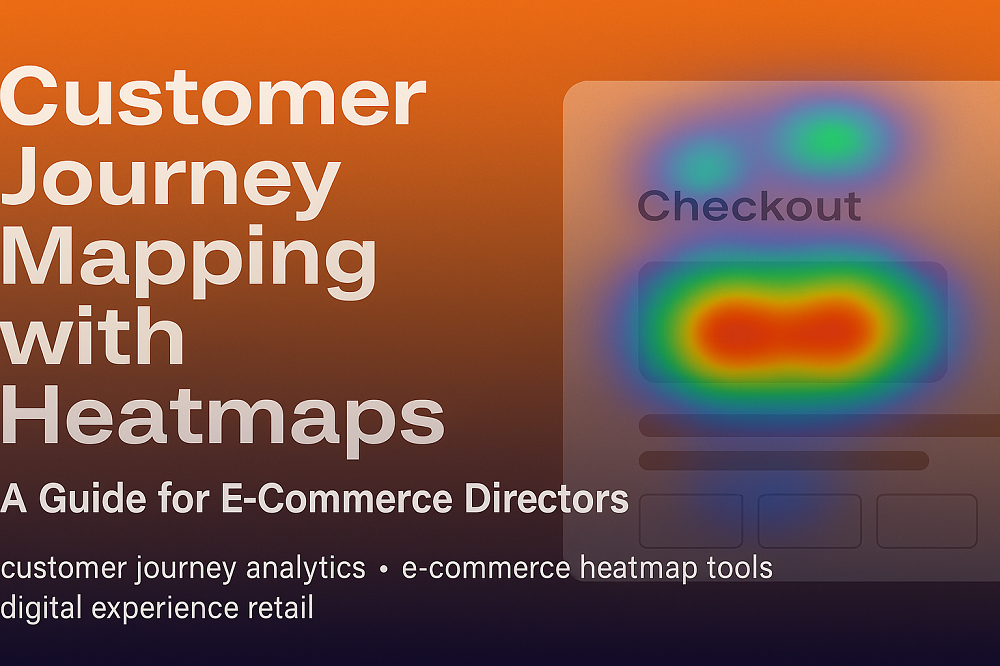
Email heatmaps add a visual layer to Salesforce Marketing Cloud click data.
Instead of analysing rows, campaign managers can immediately see:
- Where engagement is strongest
- Which CTAs attract attention
- Which sections are ignored
- How engagement flows down the email
This removes interpretation overhead and shortens analysis dramatically.
How Email Heatmaps Reduce Analysis Time
With email heatmaps, campaign managers:
- Stop exporting multiple reports
- Stop mentally mapping links to layouts
- Stop debating assumptions
- Start making decisions visually
What previously took hours often takes minutes.
The Hidden Cost of Slow Analysis
When analysis takes too long:
- Optimisation decisions are delayed
- Learnings aren’t reused
- Templates stagnate
- Performance plateaus
Campaign managers don’t lack skill — they lack clarity.
How CRMX Helps Campaign Managers Analyse Faster
CRMX is built specifically for Salesforce Marketing Cloud Email Heatmap Intelligence.
It enables campaign managers to:
- Visualise click behaviour directly on email layouts
- Instantly identify engagement hotspots
- Understand CTA performance at a glance
- Learn faster from every send
- Explain results clearly to stakeholders
CRMX doesn’t replace Salesforce Marketing Cloud — it removes the friction around using it.
Final Thoughts
Campaign managers don’t spend too long analysing emails because they’re inefficient.
They spend too long because:
- SFMC shows data, not behaviour
- Visual context is missing
- Insight requires interpretation
Email heatmaps remove that friction.
When engagement becomes visible, analysis becomes faster — and optimisation finally moves at the speed campaign managers need.
Want to Reduce Email Analysis Time for Your Team?
See how Salesforce Marketing Cloud email heatmaps help campaign managers analyse faster, optimise confidently, and spend less time in reports.
Request a demo to explore email heatmap intelligence built for SFMC campaign teams.