Email marketing has evolved far beyond opens and click-through rates. Today’s high-performing marketers want to know exactly where users click, what they ignore, and how they behave inside an email. This is where email heatmaps come in.
In this in-depth guide, you’ll learn:
What an email heatmap is (and what it’s not)
How email click heatmaps work
Why traditional email reports are no longer enough
How marketers use email heatmaps to increase CTR
Real-world use cases and optimization strategies
Best practices for email heatmap analysis
Whether you’re a CRM manager, lifecycle marketer, agency, or founder, this guide will help you unlock the real behavior data hidden inside your emails.
What Is an Email Heatmap?
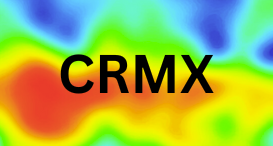
An email heatmap is a visual representation of how subscribers interact with an email. It shows where users click the most, where they click less, and which areas get ignored-using color intensity.
🔴 Red / Hot zones → High engagement, frequent clicks
🟡 Yellow / Warm zones → Moderate engagement
🔵 Blue / Cold zones → Little or no interaction
Instead of reading rows of numbers, email heatmaps allow marketers to see engagement instantly.
In simple terms:
An email heatmap turns click data into a visual layer on top of your email design.
Email Heatmap vs Traditional Email Reporting
Most email platforms still focus on:
Open rate
Total clicks
Click-through rate (CTR)
Click-to-open rate (CTOR)
While useful, these metrics don’t tell you where clicks happened.
Example problem:
You see a 3.2% CTR.
Was the CTA button clicked?
Did users click the image instead?
Were people clicking non-clickable elements?
Did mobile users behave differently?
Traditional reports can’t answer these questions.
Email heatmaps can.
How Email Click Heatmaps Work
Email click heatmaps work by collecting individual click coordinates from subscribers and aggregating them into a visual layer.
The process:
A tracking script or redirect captures click position data
Clicks are mapped to the email layout or thumbnail
Data is aggregated across all users
A color-coded heatmap is generated
Modern tools can also segment this data by:
Device (mobile vs desktop)
Email client
Campaign or journey
Audience segment
This gives marketers context, not just numbers.
Why Email Heatmaps Matter More Than Ever
1. Mobile-First Email Consumption
Over 65–75% of emails are opened on mobile. Heatmaps reveal:
Thumb-friendly click zones
CTA visibility issues
Scroll abandonment patterns
2. Design Complexity Has Increased
Emails now include:
Hero banners
Product grids
Dynamic content
Personalized blocks
Heatmaps help you understand which elements actually perform.
3. Attention Spans Are Shorter
Users don’t read emails top-to-bottom. Heatmaps show:
Skipped sections
Scroll fatigue
Visual overload points
Types of Email Heatmaps Marketers Use
1. Click Heatmaps
The most common type.
They show:
CTA click concentration
Image vs button clicks
Mis-clicks on non-clickable elements
Use case: Optimizing CTA placement and design.
2. Scroll Heatmaps (Advanced)
Shows how far users scroll inside long emails.
Use case: Determining content order and email length.
3. Device-Based Heatmaps
Compares desktop vs mobile click behavior.
Use case: Designing responsive layouts that actually convert.
How Marketers Use Email Heatmaps to Increase CTR
Let’s break down practical, proven use cases.
1. Optimizing CTA Placement
Heatmaps often reveal that:
Users click images more than buttons
Top CTAs outperform bottom CTAs
Multiple CTAs compete with each other
Optimization tips:
Place your primary CTA above the fold
Reduce CTA clutter
Match CTA placement to hot zones
👉 Result: Higher CTR without changing copy.
2. Improving Email Layout Structure
Heatmaps expose layout issues such as:
Important content placed in cold zones
Overdesigned sections users ignore
Long emails with engagement drop-offs
Smart actions:
Move key offers into hot areas
Simplify layouts
Cut low-performing sections
3. Fixing “Dead Clicks”
A dead click happens when users click:
Headings
Images
Icons
Product cards
…but nothing happens.
Heatmaps highlight these frustration points clearly.
Solution:
Make clicked elements tappable
Add hidden links where users expect them
4. Mobile Optimization That Actually Works
Responsive design ≠ optimized design.
Heatmaps show:
Missed buttons on small screens
CTAs too close together
Content hidden below scroll depth
Result:
Better mobile CTR and fewer rage taps.
5. Smarter A/B Testing
Traditional A/B testing answers:
Version A or Version B?
Heatmaps answer:
Why version A won.
You can:
Compare click distribution between variants
Identify micro-behavior changes
Improve future designs faster
Email Heatmaps in Marketing Automation Platforms
Email heatmaps are especially powerful when combined with platforms like Salesforce Marketing Cloud, HubSpot, Braze, Marketo, or Eloqua.
Example automation use cases:
Identify high-performing email templates
Optimize journey emails (welcome, post-purchase, reminders)
Improve transactional email engagement
Feed insights into personalization logic
This turns heatmaps into a continuous optimization engine, not a one-off report.
Real-World Example: Increasing CTR Without Changing Copy
A retail brand analyzed an email heatmap and discovered:
60% of clicks were on the hero image
The CTA button was mostly ignored
Mobile users struggled to reach the bottom CTA
Actions taken:
Made the hero image clickable
Moved CTA higher
Reduced content blocks
Result:
📈 CTR increased by 22%
📉 Bounce and frustration clicks reduced
⏱ Faster campaign optimization cycle
No copy changes. No redesign. Just data-driven decisions.
Common Email Heatmap Mistakes to Avoid
❌ Looking Only at Hot Spots
Always analyze cold zones—they reveal what’s failing.
❌ Ignoring Sample Size
Small datasets can mislead. Look for patterns across campaigns.
❌ Treating Heatmaps as “Design Feedback”
Heatmaps show behavior, not opinions. Let data lead decisions.
❌ Not Segmenting Data
Desktop vs mobile heatmaps often tell very different stories.
Best Practices for Email Heatmap Analysis
✔ Analyze heatmaps after every major campaign
✔ Compare similar templates across sends
✔ Segment by device and audience
✔ Combine heatmaps with CTR, CTOR, and revenue data
✔ Use heatmaps to guide future designs—not just fix old ones
Email Heatmaps vs Website Heatmaps
While both visualize behavior, email heatmaps are:
Static layout-based
Short attention span focused
Device-sensitive
Conversion-driven
Website heatmaps focus more on:
Navigation
Scrolling depth
Session behavior
Smart marketers use both for a complete journey view.
The Future of Email Heatmaps
Email heatmaps are evolving rapidly:
AI-powered click predictions
Automated design recommendations
Template scoring
Real-time campaign alerts
Soon, marketers won’t just see heatmaps—they’ll get actionable insights automatically.
Final Thoughts
Email heatmaps are no longer a “nice-to-have.”
They are a must-have for modern email marketing teams.
If you want to:
Increase CTR
Improve mobile engagement
Reduce design guesswork
Make data-driven decisions
Then email heatmaps should be part of your everyday workflow.
🚀 Ready to See Your Emails the Way Users Do?
Start using email heatmaps to turn clicks into clarity—and clarity into conversions.