


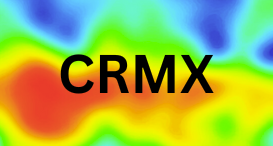
In the realm of digital marketing and UX design, heatmaps are more than just colorful overlays—they're windows into the human mind. By visualizing where users click, scroll, and linger on your website or emails, heatmaps reveal the subconscious drivers behind user behavior. But why do users click on that flashy button while ignoring your carefully crafted CTA? The answer lies in psychology: principles like visual saliency, cognitive biases, and habitual patterns shape every interaction.
In this blog post, we'll unpack the psychology fueling these clicks, explain how heatmaps bring it to light, and provide a step-by-step guide to harnessing these insights for better engagement. Perfect for CRM managers, designers, and marketers aiming to decode user intent and boost conversions. Let's explore the mind behind the mouse.
Step 1: Understanding Heatmaps and Their Role in User Behavior
Heatmaps are visual tools that use color gradients to represent user interactions on digital interfaces.2460ec Warm colors (red, orange) indicate high activity—frequent clicks or hovers—while cool tones (blue, green) show low engagement.8b6b6f Common types include:
Click Heatmaps: Show where users click, highlighting popular elements and "dead clicks" on non-interactive areas.
Scroll Heatmaps: Reveal how far users scroll, indicating attention drop-offs.
Attention/Move Heatmaps: Track mouse movements to infer focus, often mimicking eye-tracking.b3a3e2
These aren't just data visualizations; they tap into behavioral psychology by exposing patterns driven by instinct, habit, and cognition. For instance, users might cluster clicks on high-contrast areas due to innate visual preferences, but heatmaps quantify this to guide optimizations.311c1f
Step 2: Key Psychological Principles Influencing User Clicks
Human behavior on websites isn't random—it's governed by established psychological laws. Here's how they manifest in heatmaps:
Visual Saliency and Hierarchy: Users are drawn to elements that stand out, like bold colors or central placements. Heatmaps often show "hot" spots on these areas because our brains prioritize salient stimuli to reduce cognitive effort.eb7200
Fitts's Law: This principle states that the time to reach a target depends on its size and distance. Larger, closer buttons get more clicks, as seen in heatmaps where tiny links in corners remain "cool."fcdda4
Gestalt Principles: Concepts like proximity (grouping related items) and similarity guide clicks. If elements look clickable (e.g., underlined text), users assume they are, leading to erroneous clicks on non-links.95f9c8
Affordances: Perceived usability—does it look clickable? Heatmaps reveal frustration when designs mismatch expectations, like shadows implying buttons that aren't.54fdcc
Attention Decay and F-Pattern: Users scan in an F-shape (top-left focus), with attention waning down the page. Scroll heatmaps confirm this, showing cooler colors below the fold.8e90f5
These principles explain why clicks cluster: our brains seek efficiency, favoring familiar, prominent cues.
Step 3: Cognitive Biases That Drive (or Deter) Clicks
Cognitive biases—mental shortcuts—profoundly affect user decisions, often subconsciously. Heatmaps uncover these:
Anchoring Bias: Users fixate on the first elements they see, like top banners, leading to higher clicks there regardless of relevance.58c172
Confirmation Bias: Visitors seek info aligning with preconceptions, ignoring other sections. Heatmaps might show neglected content that challenges assumptions.f409f5
Loss Aversion: Fear of missing out prompts clicks on urgency cues (e.g., "Limited Time Offer"). Emotional triggers light up heatmaps in these areas.c23248
Habitual Bias and Muscle Memory: From prior sites, users click where they expect (e.g., top-right login). Deviations cause "rage clicks"—rapid, frustrated taps visible in heatmaps.575a1b
Cognitive Load Overwhelm: Cluttered pages increase mental strain, resulting in random clicks or abandonment. Cool heatmaps signal high load zones.1ea365
By spotting these biases, heatmaps help designers create intuitive experiences that align with how our minds work.
Step 4: Why Users Click Where They Do – Heatmap Insights
Heatmaps don't just show clicks; they explain motivations:
High Engagement Zones: Clicks on CTAs often stem from emotional appeals or clear value propositions. But excessive nearby clicks might indicate confusion, not interest.35fdc1
Dead Clicks and Frustration: Non-interactive clicks reveal mismatched affordances—users think it's clickable due to design cues.b8a3d3
Hesitation and Hovers: Mouse movements before clicks show decision-making; prolonged hovers suggest comparison or doubt.dbf673
medium.com
Device-Specific Behaviors: Mobile users tap larger areas due to finger size, per Fitts's Law, while desktop allows precise hovers.5122ca
Segmented Patterns: New users explore broadly (curiosity), while returnees click efficiently. Heatmaps segmented by user type highlight these differences.48d950
Ultimately, clicks reflect a blend of instinct, bias, and design—heatmaps make this psychology actionable.
Step 5: Step-by-Step Guide to Applying Psychological Insights with Heatmaps
Leverage psychology and heatmaps with this practical guide:
Select a Tool: Choose heatmap software like Hotjar, Crazy Egg, or Microsoft Clarity for click, scroll, and attention tracking.
Install and Track: Embed the script on your site and collect data from real users, focusing on high-traffic pages.
Analyze Patterns: Look for hot spots (saliency wins) and cool areas (possible biases or load issues). Use filters for devices and segments.3ee9d2
Apply Principles: Redesign based on insights—enlarge CTAs (Fitts's Law), group elements (Gestalt), reduce clutter (cognitive load).
Test for Biases: A/B test variations to counter biases, like moving anchors or adding urgency cues.
Iterate with Data: Compare pre/post heatmaps to measure improvements in engagement and conversions.
Combine with Other Tools: Pair with session recordings for deeper "why" behind the psychology.2e6651
Pro Tip: Always consider ethical design—avoid manipulating biases harmfully.
Step 6: Real-World Examples and Case Studies
Psychology in action via heatmaps:
E-Commerce Site: Heatmaps showed clicks anchoring on top images, ignoring lower CTAs due to attention decay. Repositioning boosted conversions by 25%.cffbd8
SaaS Landing Page: Dead clicks on non-buttons revealed poor affordances; clarifying design reduced frustration and improved UX.1593a9
Blog Platform: Hovers indicated hesitation from confirmation bias—users skipped contradicting info. Content tweaks aligned with expectations, increasing time on page.eaa758
Mobile App: Rage clicks on small elements highlighted Fitts's Law violations; enlarging targets cut drop-offs.2955fd
These examples show how decoding psychology via heatmaps drives tangible results.
Step 7: Conclusion and Next Steps
Heatmaps illuminate the psychology of clicks, revealing why users engage as they do through principles like saliency, biases, and affordances. By understanding these, you can craft experiences that feel intuitive, reducing friction and enhancing satisfaction.
Ready to peek into your users' minds? Implement heatmaps today and analyze with a psychological lens. Share your insights in the comments or contact CRMX for expert guidance. Subscribe for more on UX psychology and CRM strategies!