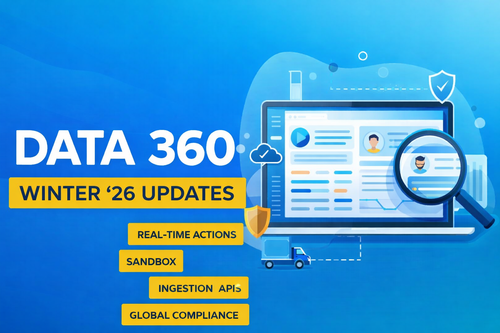

Salesforce continues to evolve its enterprise data platform, and with the Winter ’26 release, Data Cloud has officially been rebranded as Data 360. While the name has changed, the vision remains the same: enabling businesses to build a true, unified Customer 360 with real-time, trusted, and actionable data.
In this blog, we’ll break down all major Data 360 updates for Winter ’26, explain what’s changed, why it matters, and how CRM and marketing teams can use these features in real-world scenarios.
What Is Data 360 (Previously Data Cloud)?
Data 360 is Salesforce’s enterprise data platform that allows organizations to:
Ingest data from multiple sources (online and offline)
Resolve identities into a single customer profile
Build segments and insights
Activate data across Salesforce clouds (Marketing, Service, Sales, Commerce)
Power real-time personalization and automation
The Data Cloud → Data 360 rename (Oct 2025) reflects Salesforce’s broader Customer 360 strategy. Importantly, no functionality was removed or replaced—this is a branding and positioning update.
1. Hyperforce Expansion: Data 360 Goes Global
One of the biggest Winter ’26 updates is the expansion of Data 360 on Hyperforce, Salesforce’s global cloud infrastructure.
What Changed?
Data 360 is now available in 17 countries, with new regions including:
France
Indonesia
South Korea
United Arab Emirates
Why This Matters
Hyperforce enables:
In-country data residency (critical for regulated industries)
Compliance with GDPR, LGPD, and regional data laws
Lower latency and faster processing
Better performance for real-time use cases
CRMx Insight
For global brands, this removes a major blocker. You can now deploy Data 360 closer to your customers, improving both compliance and experience without complex workarounds.
2. Real-Time Data Actions with Event-Triggered Flows
Previously, many Data Cloud actions relied on batch processing—nightly or scheduled refreshes. Winter ’26 introduces real-time data actions.
What Are Real-Time Data Actions?
They allow Salesforce Flows to trigger instantly when data changes in Data 360.
Example Use Cases
A customer reaches VIP status → instant reward email
Fraud signal detected → immediate service alert
Abandoned cart event → real-time reminder
How It Works
You:
Select a data graph and data model object
Choose fields and conditions to monitor
Trigger a flow when conditions are met
⚠️ Requires Sub-Second Real-Time Profiles & Entities add-on
CRMx Insight
This brings Data 360 closer to event-driven architectures, making Salesforce competitive with real-time CDPs and streaming platforms.
3. Unified Credit Tracking in the Digital Wallet
Salesforce has simplified how segmentation and activation credits are tracked.
What Changed?
All credits now appear in a single place: 👉 Data Services Consumption Card inside the Digital Wallet
Old credit cards are automatically migrated.
Why This Matters
One unified view of all usage
Easier forecasting for campaigns
Reduced risk of hitting limits mid-campaign
Best Practice
During peak periods (sales, holidays, product launches), monitor credits regularly and adjust:
Segment refresh frequency
Activation volume
Credit purchases
4. Clearer Limits, Usage, and Governance
Winter ’26 brings improved transparency around:
API limits
Ingestion limits
Unstructured data limits
License entitlements
Why This Matters
Teams can now:
Plan data strategies more confidently
Avoid production disruptions
Align internal documentation with Salesforce limits
CRMx Insight
Governance clarity is essential for scaling Data 360 across multiple teams and regions. This update reduces “unknown risk” during enterprise rollouts.
5. Companion Orgs with Data 360 One
Customer data rarely lives in one Salesforce org. Winter ’26 strengthens companion org support using Data 360 One.
What Are Companion Orgs?
They allow Data 360 to:
Pull data from multiple Salesforce orgs
Combine Sales, Service, Marketing, and Commerce data
Enrich customer profiles without duplication
Example
Service Cloud org → support cases
Marketing Cloud org → engagement data
Sales Cloud org → opportunity history
All combined into one Data 360 profile.
CRMx Insight
This is critical for large enterprises and multi-brand architectures where org sprawl is common.
6. Build & Share with Data 360 Sandboxes
Deployment safety improves significantly with Data 360 sandboxes.
What’s New?
You can now:
Test configurations in a sandbox
Validate data models, insights, and activations
Deploy consistently across environments
Why This Matters
Even small configuration errors can:
Break segmentation
Affect personalization
Impact downstream activations
Sandbox-first deployment reduces risk.
7. Automated Package Creation with package.xml
Manual package creation is error-prone. Winter ’26 introduces automated package generation.
Benefits
Automatically includes dependencies
Fewer manual steps
CI/CD friendly
Consistent deployments across orgs
CRMx Insight
This aligns Data 360 with modern DevOps and release management practices, making it easier for large teams to collaborate.
8. Real-Time Ingestion APIs
Batch ingestion still exists, but Winter ’26 strengthens real-time ingestion.
What Can You Do?
Stream external data instantly into Data 360
Keep identity resolution and insights up to date
Enable immediate segmentation and activation
Best Use Cases
Fraud detection
Abandoned cart recovery
Proactive service alerts
Cost & Strategy Tip
Many teams use:
Real-time ingestion for urgent events
Batch ingestion for high-volume, low-priority data
This balances speed and cost.
Final Thoughts: Why Winter ’26 Is a Big Step for Data 360
The Winter ’26 updates make Data 360:
More real-time
More governed
More enterprise-ready
Easier to scale globally
For CRM, marketing, and data teams, these changes unlock:
Faster personalization
Better compliance
Safer deployments
Stronger customer insights
How CRMx Helps with Data 360 Adoption
At CRMx, we help teams:
Design Data 360 architectures
Optimize segmentation and activation strategies
Implement real-time use cases
Track usage, credits, and performance
Connect Data 360 with Salesforce Marketing Cloud, Service Cloud, and external systems
Whether you’re starting with Data 360 or scaling enterprise use cases, CRMx provides the strategy, tooling, and insights to make Data 360 work for your business.