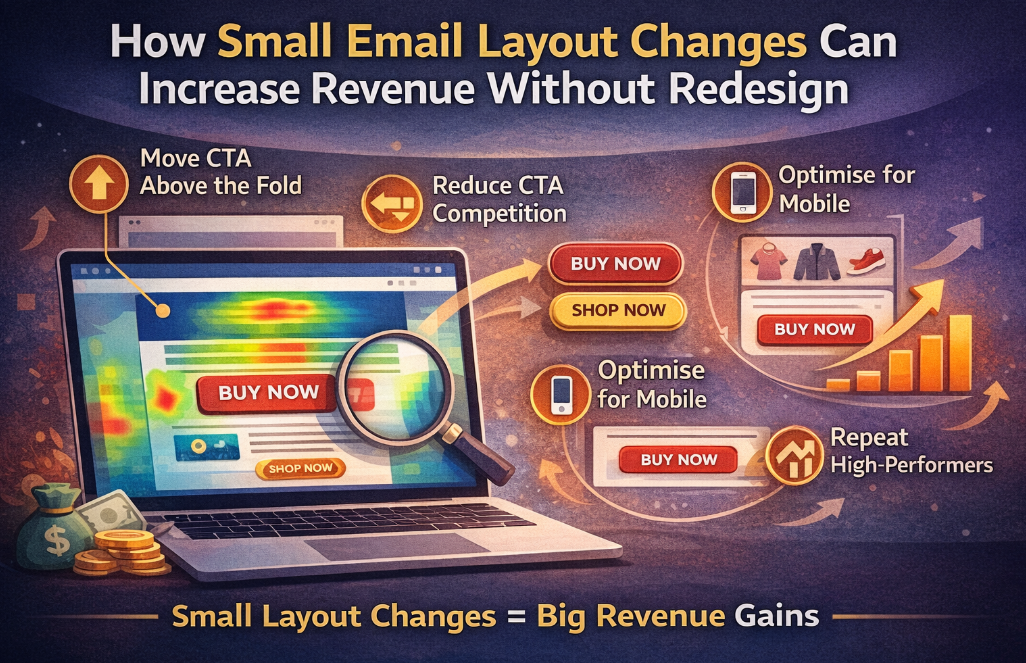

Most CRM teams believe that improving email performance requires a full redesign.
New templates. New creative. New strategy.
But here’s the truth:
You don’t need a redesign to increase revenue. You need better layout decisions.
In fact, small layout changes—often overlooked—can drive significant improvements in clicks, engagement, and conversions.
The Biggest Misconception in Email Marketing
When campaigns underperform, the default reaction is:
“We need a new design.”
But redesigns are:
- Time-consuming
- Expensive
- Dependent on multiple teams (design, dev, approvals)
And worst of all—they often don’t fix the real problem.
Because performance issues are rarely about design.
They’re about how users interact with your layout.
Why Layout Matters More Than Design
Your email layout controls:
- What users see first
- Where attention flows
- How easily users find CTAs
- Whether they click—or drop off
Even a perfectly designed email can fail if:
- The CTA is too low
- Key content is buried
- Visual hierarchy is unclear
Small changes here can unlock big results.
5 Small Layout Changes That Drive Immediate Impact
1. Move Your Primary CTA Above the Fold
Most users don’t scroll as much as you think.
If your main CTA is buried halfway down the email, you’re losing clicks.
Fix:
- Place your primary CTA within the first visible section
- Reinforce it again later in the email
👉 Result: Immediate increase in click visibility and engagement
2. Reduce CTA Competition
Multiple buttons = decision fatigue.
When users see too many options:
- They hesitate
- They don’t choose
- They don’t click
Fix:
- Prioritise one primary CTA
- Use secondary CTAs sparingly
- Create a clear visual hierarchy
👉 Result: Higher click-through rate (CTR)
3. Align Content With Natural Scanning Patterns
Users don’t read emails—they scan them.
Typical behaviour:
- Top → middle → quick skim → exit
If your layout doesn’t match this pattern, key content gets ignored.
Fix:
- Place important content early
- Break content into scannable sections
- Use spacing to guide attention
👉 Result: Better engagement across the email
4. Optimise for Mobile Thumb Zones
Most users interact with emails on mobile.
But many layouts are still designed for desktop.
Common issue:
- CTAs placed in hard-to-reach areas
Fix:
- Position CTAs within easy thumb reach (middle/lower screen zones)
- Avoid edge placements
- Increase button size for easy tapping
👉 Result: Improved mobile click performance
5. Repeat High-Performing Elements Strategically
If something works—use it more.
But most teams:
- Add elements randomly
- Repeat content without purpose
Fix:
- Identify high-performing sections (e.g. product categories, banners)
- Repeat them at strategic points
- Maintain consistency in layout
👉 Result: Reinforced engagement and higher conversions
Real Impact: Small Changes, Big Revenue Gains
Let’s say your campaign currently delivers:
- 50,000 opens
- 2.5% CTR = 1,250 clicks
With small layout improvements, increasing CTR to 3.5% gives:
- 1,750 clicks → +500 additional clicks
That’s a 40% increase in traffic—without changing your audience or creative.
Now multiply that across all campaigns.
Why Most Teams Miss These Opportunities
Because they don’t have visibility into:
- Which sections users engage with
- Where clicks actually happen
- Which elements are ignored
So instead of optimising layouts, they:
- Guess
- Redesign
- Repeat the cycle
The Smarter Approach: Optimise Before You Redesign
Before investing time in redesigns, ask:
- What parts of this email are working?
- What parts are being ignored?
- Where are users clicking most?
This is where behavioural data becomes critical.
How CRMX Helps You Unlock These Gains
CRMX gives you a clear view of how users interact with your email layout.
Instead of guessing, you can see:
- Click heatmaps across your email
- High vs low engagement zones
- CTA performance by placement
- Real interaction patterns
This allows you to:
- Make precise layout adjustments
- Validate what works (and what doesn’t)
- Improve performance without redesign
- Drive consistent revenue growth
Final Thought
You don’t need a new email design.
You need to fix how your current design performs.
Because in most cases:
A few small layout changes can unlock more revenue than a full redesign.
Request a email heatmap demo today!